Before you submit

Acquisition and export guide.

For 3D/4D images acquired on a GE ultrasound system and exported from the echo machine or EchoPAC.

Download the one-page PDF
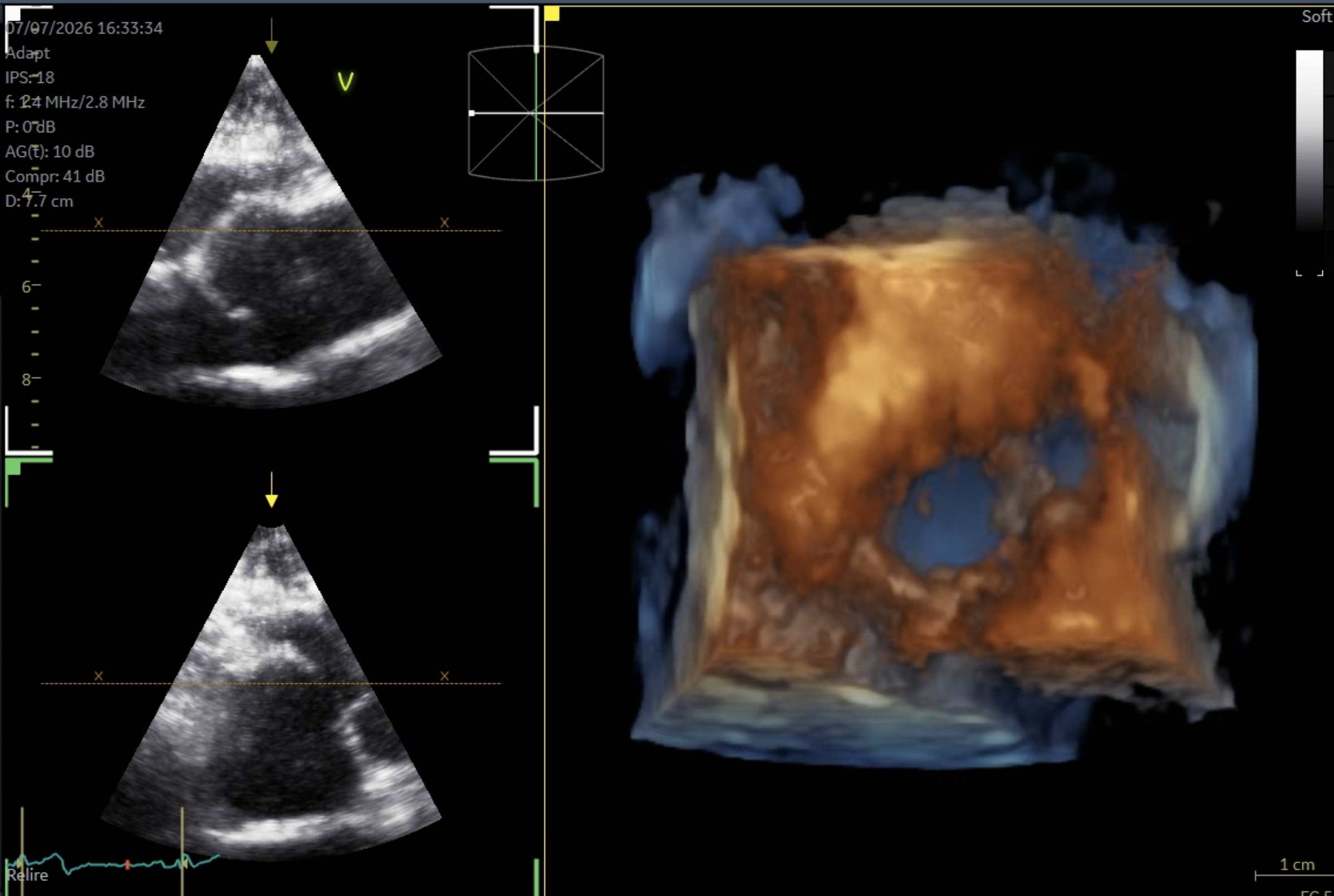
Example of the requested zoom-mode acquisition

01 · Acquire

Favor the aorta.

  • Use Zoom mode from a parasternal long-axis view.
  • Include a longer segment of aorta than of LVOT.
  • The pulmonary trunk must remain identifiable on the corresponding short-axis view. Partial truncation is acceptable.
  • Record a complete moving 3D/4D clip, not a still image.
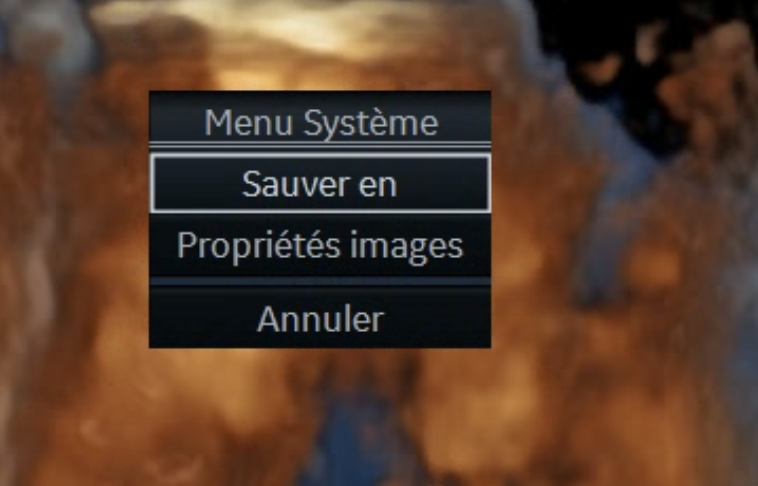
Save As menu

02 · Export

From the echo machine or EchoPAC.

  1. Open the system menu and select Save As.
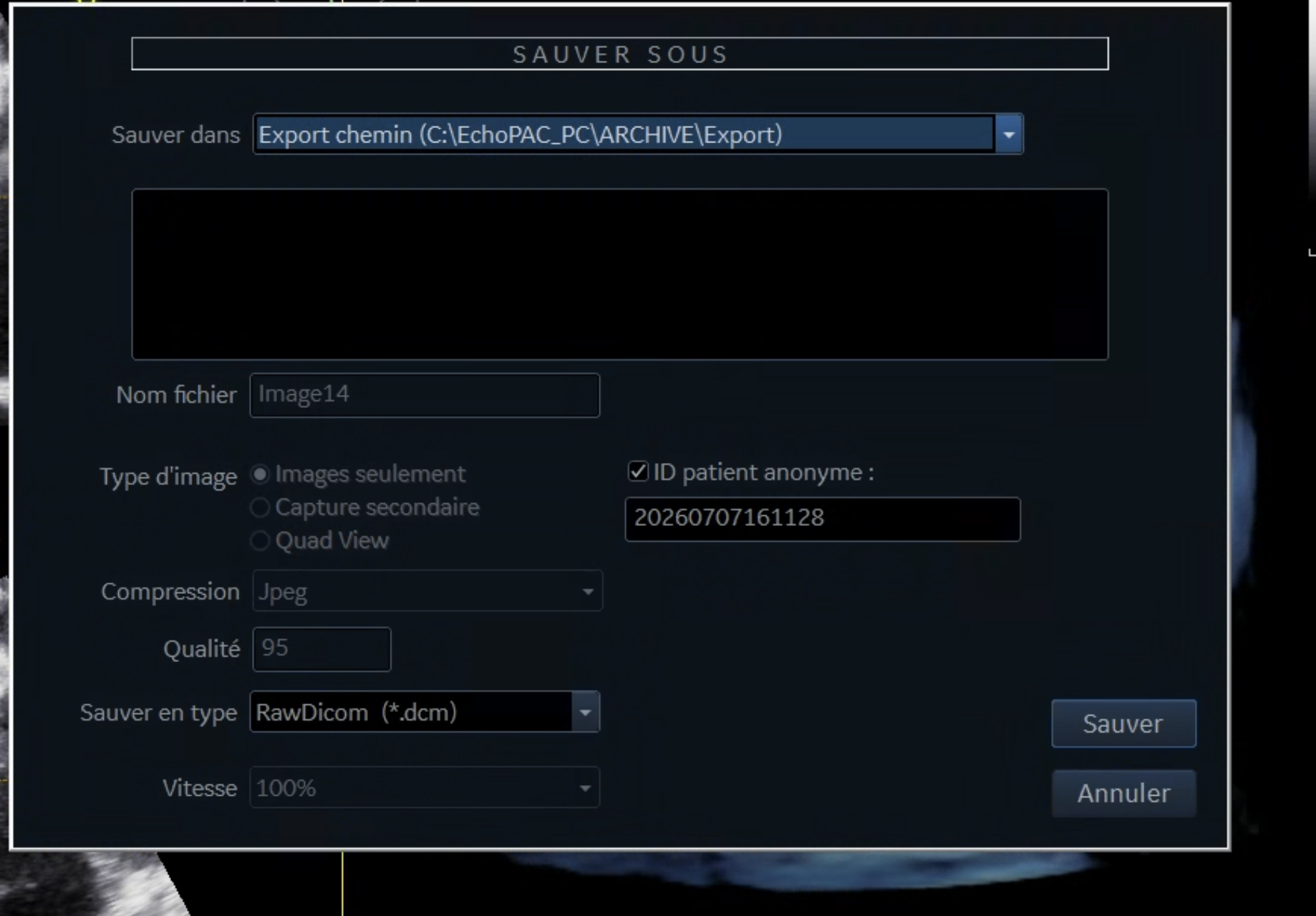
  2. Select Images only.
  3. Enable Anonymous patient ID.
  4. Choose RawDicom (*.dcm), then select Save.
RawDicom and anonymization export settings

03 · Verify

Anonymized moving clip only.

The file normally has no extension and may resemble Q7DMKDOM. You may rename it, but never use identifying information. Verify that it is the complete moving clip—not a screenshot or single frame.

04 · Upload

Group clips from one study.

Give the study a non-identifying nickname. Then add one or more complementary clips from that same study and give each clip its own nickname, such as “PLAX wide” or “PSAX complement”. These nicknames are not your account name.

Select each exported file, confirm anonymization, and keep the page open until the combined transfer reaches 100%. The investigator will contact you after the result has been reviewed and released.